calmapi@2.0.0-alpha.0Node.js 22 · Express 5 · MongoDB

The backend framework you own, line by line.

CalmAPI copies a small, readable framework into your project. Declare a resource once and get routes, validation, access rules and an OpenAPI document. Then prove the rules hold with a built-in security audit, and watch your coding agent work in devtools.

$npm create calmapi@latest
Get started GitHub
Runtime dependencies
express, mongoose
Framework source in your repo
5,540 lines
CLI dependencies
none
Framework tests, on real MongoDB
204
Tools for coding agents (MCP)
18
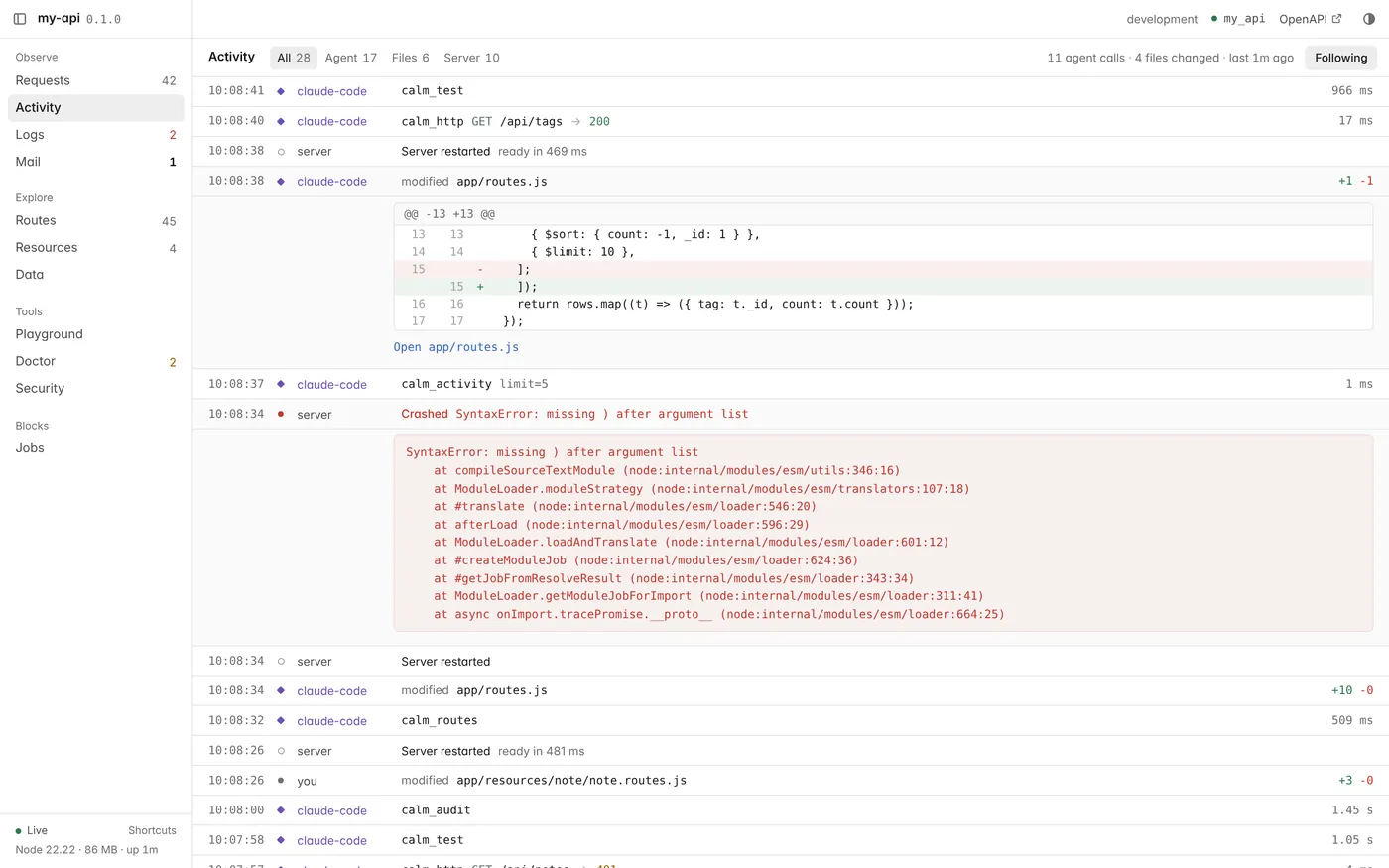
localhost:5001/_calmActivity
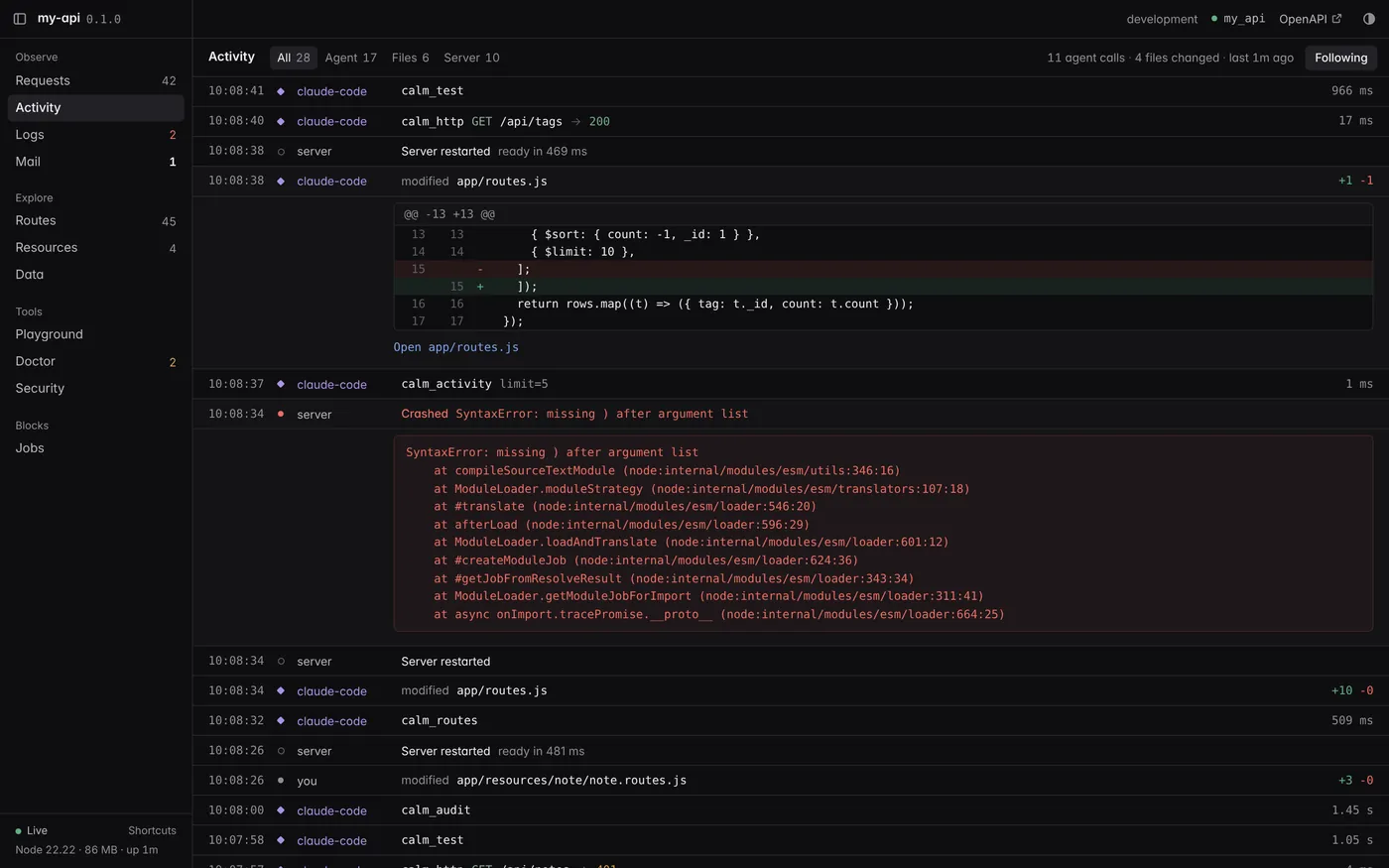
CalmAPI devtools Activity panel: an AI agent's tool calls, a server crash with its error, the agent's one-line fix as a diff, restarts, and a file edited by a personCalmAPI devtools Activity panel: an AI agent's tool calls, a server crash with its error, the agent's one-line fix as a diff, restarts, and a file edited by a person
fig. 1Devtools, served by your own app at /_calm, while Claude Code adds a route. Its edit crashes the server, it reads the crash with calm_activity, fixes the line and tests again. Your own edit sits in the same feed. Violet marks the agent.
app/resources/post/post.resource.js20 lines

Declare a resource once. The rest follows.

Fields and access rules live in one file. CalmAPI turns them into the Mongoose schema, input validation, output filtering, query rules, five routes and the API reference. Business logic goes in a service with hooks, custom endpoints in a routes file. Both are optional.

import { resource, f } from '#calm';​export default resource('post', {  fields: {    title: f.string().required().max(200).searchable().sortable(),    slug: f.string().readOnly().unique().filterable(),    body: f.text().required().max(50_000),    status: f.enum(['draft', 'published']).default('draft').filterable(),    tags: f.array(f.string().max(30)).max(10).default([]).filterable(),    author: f.ref('user').owner(), // set from the session; powers the 'owner' policy    publishedAt: f.date().readOnly().sortable(),  },  policy: {    list: 'public', // drafts are filtered out in post.service.js scope()    read: 'public',    create: 'authenticated',    update: 'owner | admin',    delete: 'owner | admin',  },});

from that one file

  • Five routes, each with the policy you wrote. calm routes lists them with their source file.
  • Validation that rejects unknown, read-only and hidden fields with a 422, before your code runs.
  • Filtering, sorting and search on the fields you mark, and a 400 for anything else.
  • Responses filtered per caller. A field with visibleTo('owner | admin') never reaches anyone else.
  • Owner scoping. With an owner policy, lists only return the caller's own records.
  • OpenAPI 3.1, generated from the same definition, so the docs cannot drift.
npx calm routesthe post routes of a new project
METHOD  PATH                     POLICY          FROM
GET     /api/posts/featured      public          post.routes.js
POST    /api/posts/:id/publish   owner | admin   post.routes.js
GET     /api/posts               public          post.resource.js
GET     /api/posts/:id           public          post.resource.js
POST    /api/posts               authenticated   post.resource.js
PATCH   /api/posts/:id           owner | admin   post.resource.js
DELETE  /api/posts/:id           owner | admin   post.resource.js
calm/security/audit.js301 lines

Access rules you can prove.

Every route says who may call it and every field says who may see it. Rules only matter if they hold, so calm audit boots your app on a throwaway database, signs in as every role and calls every route. On the starter app that is 54 checks in under two seconds, and --ci fails the build when one breaks.

a list override an agent might write to add sorting

note.service.jsskips the owner rule
import { ResourceService } from '#calm';​export default class NoteService extends ResourceService {  // Newest first, with a larger page.  async list({ filter = {}, skip = 0, limit = 50 } = {}) {    const [items, total] = await Promise.all([      this.model.find(filter).sort({ _id: -1 })        .skip(skip).limit(limit).lean(),      this.model.countDocuments(filter),    ]);    return { items, total };  }}

Notes are owner-only, but lines 7 and 8 query the model directly. Every unit test for the service still passes. The fix is one line: return super.list(...) and let the framework apply the rule.

what the audit says

npx calm audit1.7 s
  note /notes
    action  Anonymous  Signed-in user  Owner        Admin
    list    ✔ deny     ✖ own (200)     ✖ own (200)  ✔ allow
    read    ✔ deny     ✔ deny          ✔ allow      ✔ allow
    create  ✔ deny     ✔ allow         ✔ allow      ✔ allow
    update  ✔ deny     ✔ deny          ✔ allow      ✔ allow
    delete  ✔ deny     ✔ deny          ✔ allow      ✔ allow
    ✖ list as Signed-in user: returned 2 record(s) owned by someone else
    ✖ list as Owner: returned 1 record(s) owned by someone else

  Probes
  ✔ mass assignment: note.owner rejected with 422
  ✔ operator injection: note x[$ne]=1 -> 400
  ✔ forged session token -> 401
  ✔ login does not reveal accounts 401 / 401
  ...

  2 failed · 75 passed · 2 skipped (custom scope or policy) · 79 checks

calm/security/exposure.js

The audit checks against a matrix computed from your code.

Who can list, read, change and delete each resource, and which fields each caller sees. Devtools shows it, calm doctor warns when personal data is public, and coding agents read it through the calm_security tool. This is the matrix of a new project.

How the audit works

Who can do what in the starter app, per resource and caller
actionanonymoussigned inowneradmin
post /api/posts
listallowallowallowallow
readallowallowallowallow
createdenyallowallowallow
updatedenydenyallowallow
deletedenydenyallowallow
user /api/users
listdenydenydenyallow
readdenydenyallowallow
updatedenydenyallowallow
read emailpiinonoyesyes
read rolesnonoyesyes
read passwordnevernevernevernever

access control

  • A policy on every route, listed by calm routes and checked by calm doctor.
  • Field rules for reading and writing, per role and for the owner.
  • 401, 403 or 404 chosen so a caller who cannot read a record never learns it exists.
  • No mass assignment: unknown, read-only, hidden and owner fields are rejected with 422.

accounts

  • Opaque sessions stored as SHA-256 hashes. List them, end one, end all.
  • scrypt passwords from node:crypto. Common passwords and ones with your name or email are refused.
  • Lockout: 5 failed logins in 15 minutes locks that account for 15 minutes.
  • Two-factor login with the totp block: RFC 6238, replay protection, hashed recovery codes.

data and input

  • .encrypted() fields: AES-256-GCM with key ids, rotated with calm keygen --write.
  • Query allowlists: x[$ne]=1 is a 400, and page size is capped.
  • JSON guard: 1 MB body, depth 20, 10,000 keys.
  • Production by default: devtools can never run there, security headers on, CORS closed.
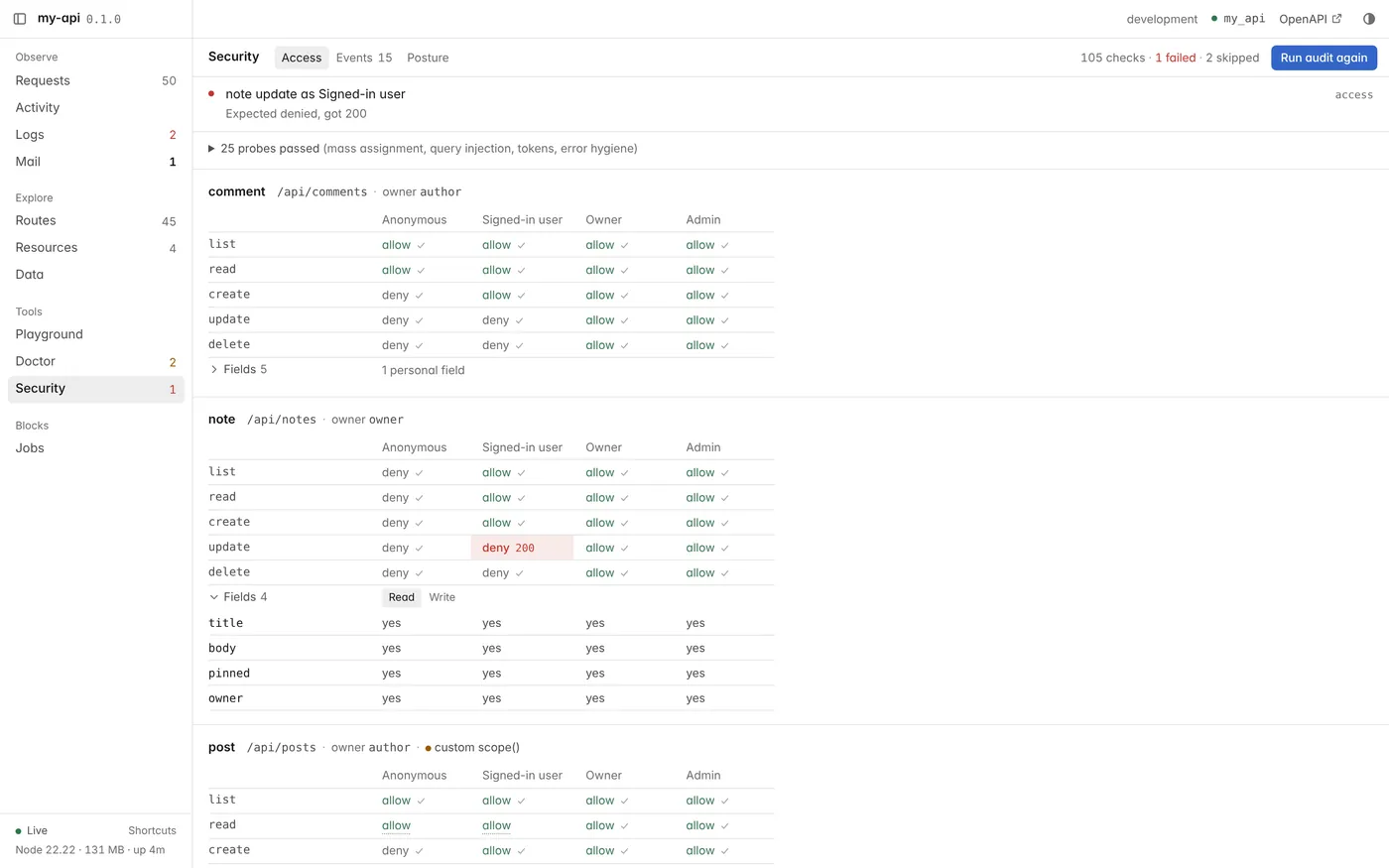
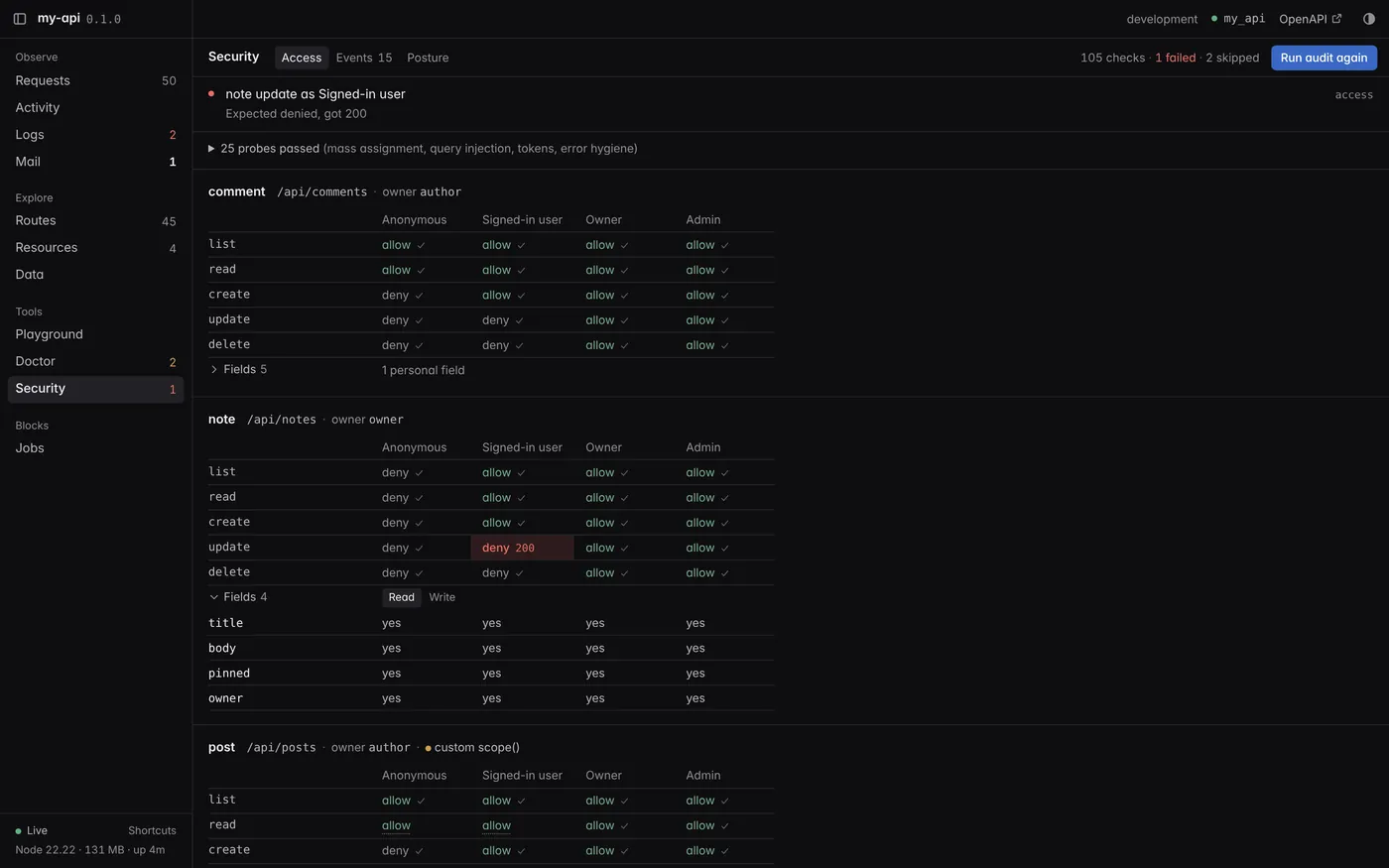
localhost:5001/_calmSecurity
CalmAPI devtools Security panel after running the audit, with one failed cell highlighted in redCalmAPI devtools Security panel after running the audit, with one failed cell highlighted in red
fig. 2The same audit from devtools: Run audit marks every cell of the matrix as passed or failed. Here a custom route let any signed-in user update someone else's note.
.calm/activity.jsonlwritten by calm dev and calm mcp

Your agent writes the code. You see every step.

Coding agents connect to calm mcp and get 18 tools for this project. Everything they do lands in one activity log that devtools streams live: tool calls, file diffs, restarts, crashes and the requests they send. The agent reads the same log, so it notices when an edit breaks the server, yours or its own.

the agent

Claude Code, Cursor, Codex

Reads AGENTS.md for the project's rules. Scaffolds with calm_make_resource, calls the API as any user with calm_http, then runs calm_test and calm_audit.

calm dev + calm mcp

One activity log

Every tool call is logged with its arguments, result and duration. Every file change is diffed and credited to the agent if it acted in the last 20 seconds. Its API calls carry an X-Calm-Agent header.

you

Devtools at /_calm

Activity shows each step with its diff, live. Requests marks the agent's calls with their queries. When it says it is done, run the audit yourself in one click.

localhost:5001/_calmRequests
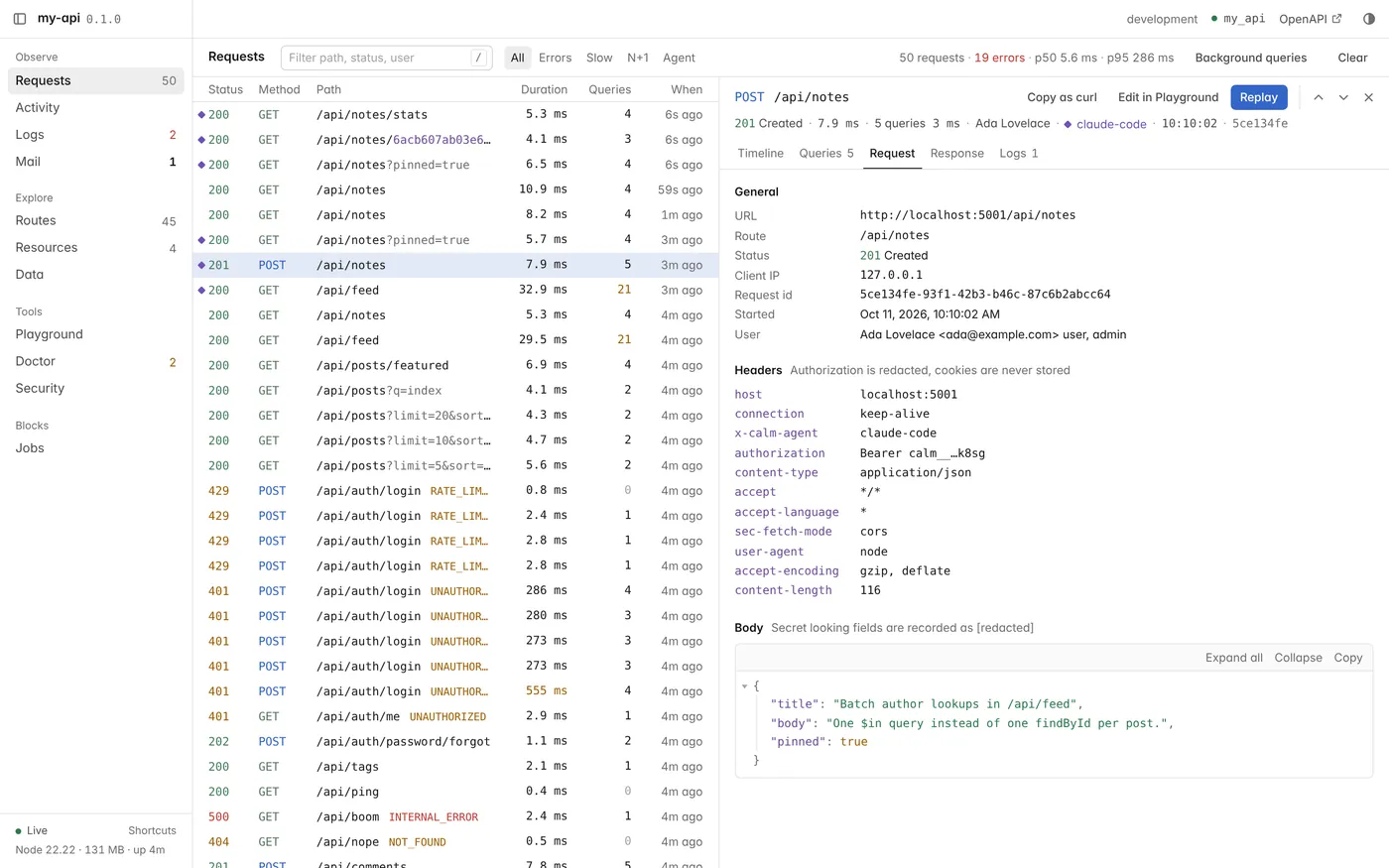
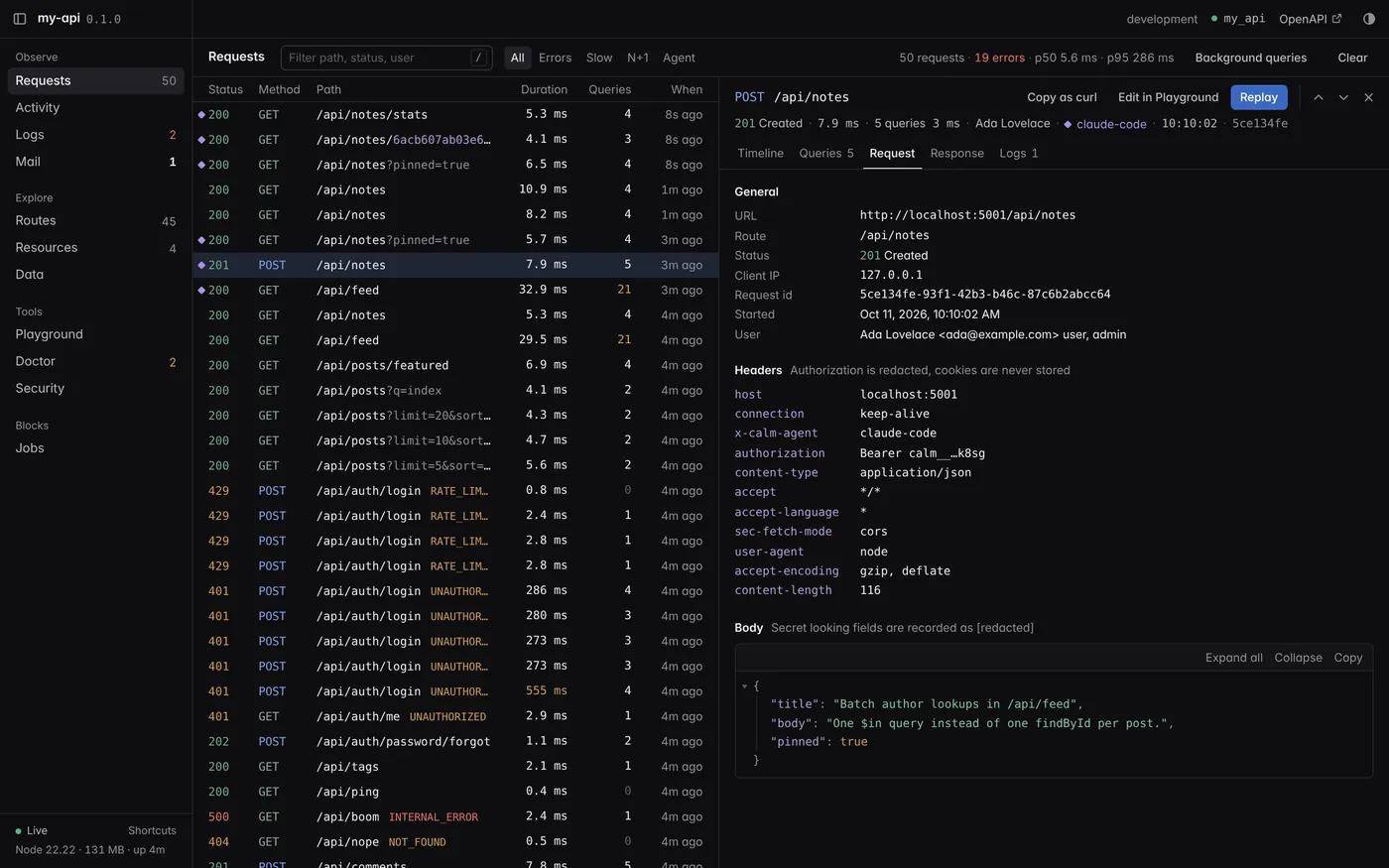
CalmAPI devtools Requests panel with violet markers on requests made by an AI agent, and the timeline of one of themCalmAPI devtools Requests panel with violet markers on requests made by an AI agent, and the timeline of one of them
fig. 3Requests the agent sent through calm_http carry a violet marker in the list and in the header, next to the user it acted as. Each has its headers, body, queries and logs, like your own requests.

understand

  • calm_projectresources, blocks, server state
  • calm_routesevery route and its policy
  • calm_resourceone full definition
  • calm_openapithe API document
  • calm_blockswhat can be added

change

  • calm_make_resourcescaffold from field specs
  • calm_add_blockwith a dry run first

run and observe

  • calm_httpcall the API as anyone
  • calm_recent_requestswhat just happened
  • calm_requestqueries, logs, stack
  • calm_logsserver log lines
  • calm_mailsemails the app sent
  • calm_pushespush notifications sent
  • calm_activitydiffs, restarts, crashes

verify

  • calm_testpass and fail per test
  • calm_doctorfindings to fix
  • calm_auditthe authorization check
  • calm_securitymatrix and events

Connect your agent in one line.

Any MCP client works the same way. New projects include AGENTS.md and CLAUDE.md, so the agent knows the conventions before it writes a line. Working with agents

inside your project
$ claude mcp add calm -- npx calm mcp
calm/devtools/index.js758 lines · development only

Devtools that ship inside your app.

Run npm run dev and open /_calm. No extra service, no browser extension. It only runs in development, only answers on localhost, and can never be turned on in production. Every panel explained

localhost:5001/_calmRequests
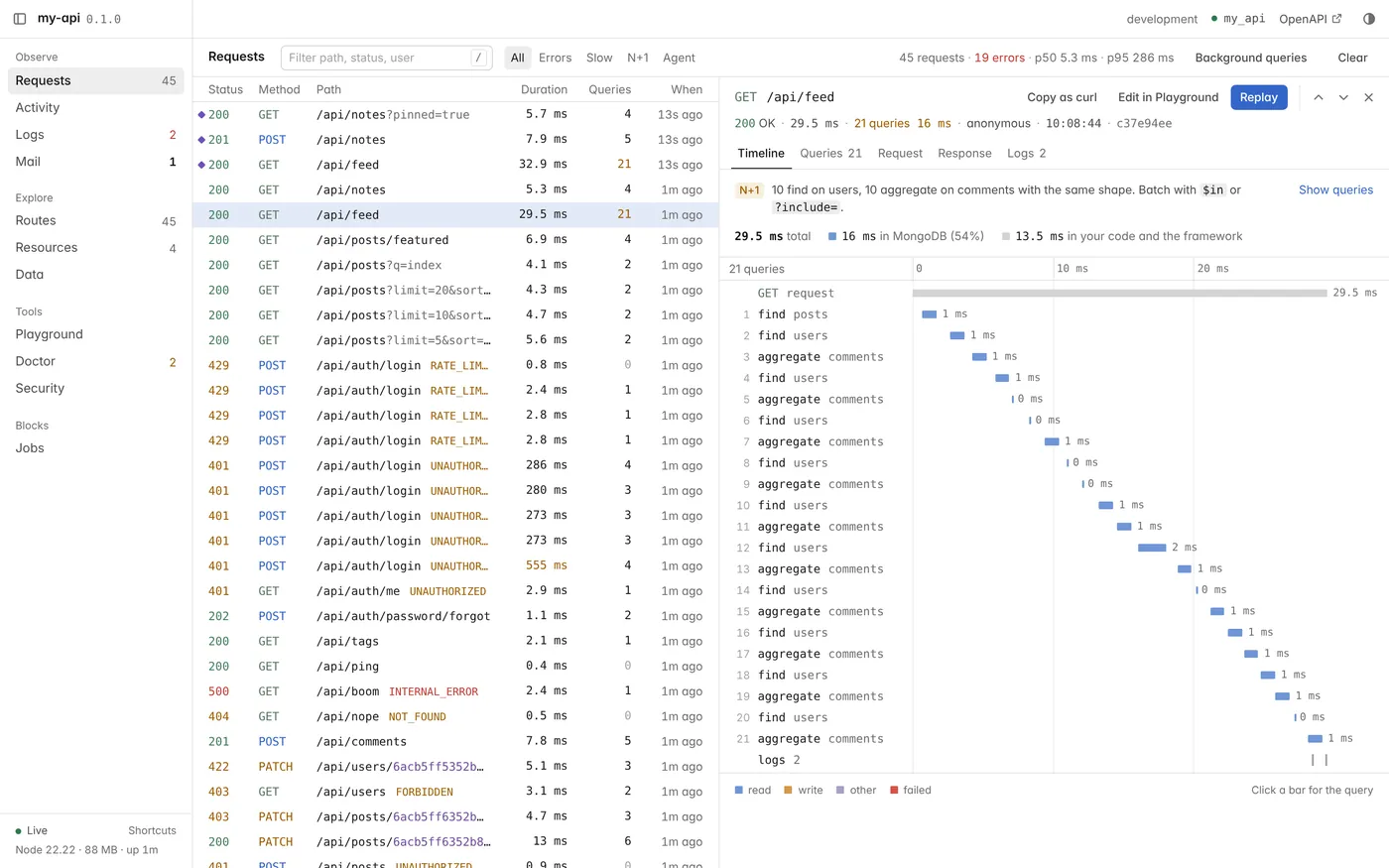
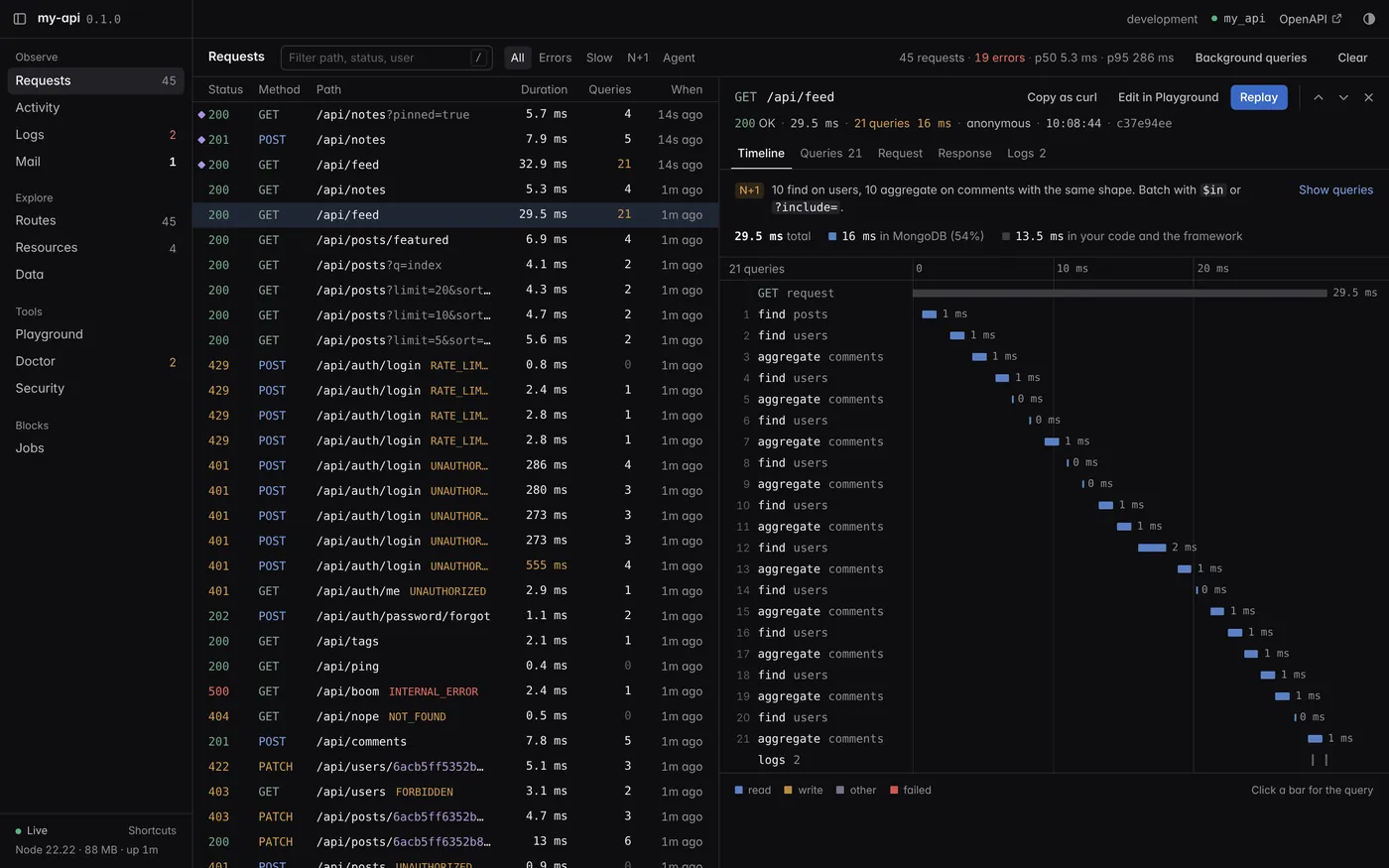
CalmAPI devtools Requests panelCalmAPI devtools Requests panel
fig. 4Every request with each MongoDB query on a timeline. Repeated queries with the same shape are flagged as N+1 with a hint on how to batch them. Copy as curl, replay, or open in the playground.
calm.locka sha256 for every framework file

Every line is yours. Upgrades still work.

The framework is copied into calm/: about 5,500 lines of commented JavaScript on Express 5 and Mongoose. Read it, step through it, change it. calm.lock remembers what you started from, so calm upgrade replaces the files you never touched and three-way merges the ones you did.

my-api/
calm/                the framework, yours to read and edit
  app.js  config.js  testing.js  openapi.js
  auth/  resource/  http/  security/  devtools/
app/
  resources/post/      post.resource.js, .service.js, .routes.js
  resources/user/
  blocks/              blocks you add, as source
  routes.js
test/                  node:test with createTestApp
AGENTS.md  CLAUDE.md    rules for coding agents
calm.config.js  calm.lock  .env  Dockerfile
npx calm upgradeexample output
  calm upgrade 2.0.0-alpha.0 → 2.0.0-alpha.1

  update    calm/http/router.js
  update    calm/resource/query.js
  merge     calm/auth/index.js
  conflict  calm/config.js
  add       calm/security/report.js

  Apply? yes
  ✔ calm/ upgraded to 2.0.0-alpha.1
  ! Resolve conflict markers in: calm/config.js

Untouched files are replaced, edited files are merged with your changes kept, and conflicts get the usual markers. The test suite runs a real upgrade over an edited project for each case. Upgrading

npx calm add <block>21 official blocks

Add features as source code.

A block is copied into app/blocks/ with its dependencies and environment variables, then it is yours to edit like everything else. Your own blocks take one command to start and one to share, and anyone can install them from GitHub after a plain-language review of what the code does. Browse blocks · Build your own

notificationsno deps
One call for the in-app inbox, push and email, following each user's preferences and quiet hours.
webhooksno deps
Signed webhooks for resource events, retried from a MongoDB queue, with a delivery log and SSRF protection.
api-keysno deps
API keys with scopes for scripts and integrations: shown once, hashed at rest, with expiry and revoke.
magic-linkno deps
Passwordless sign-in by email. Links work once, expire, and only in the browser that asked.
feature-flagsno deps
Kill switches, gradual rollouts, per user and per role targeting, variants and route gates.
privacyno deps
Users download everything they own and delete their account: delete, anonymize or keep per resource.
idempotencyno deps
The Idempotency-Key header: a retried payment or order runs once and replays the stored response.
totpno deps
Authenticator-app codes on login: setup by QR link, hashed single-use recovery codes, replay protection.
jobsno deps
Background jobs and cron on MongoDB, without Redis: retries with backoff, schedules, a devtools panel.
mcp-serverno deps
Your resources as MCP tools for AI agents, behind the same policies and validation as the REST API.
realtime-sseno deps
Live changes over Server-Sent Events, filtered per subscriber by the same rules as the API.
audit-logno deps
Who changed what and when, with field-level diffs. Private fields are never recorded.
soft-deleteno deps
DELETE marks records deleted, queries hide them, admins list and restore them.
storage-s3@aws-sdk
Direct uploads to S3, R2 or MinIO with presigned URLs, type and size allowlists.
storage-localmulter
Uploads to disk with type and size allowlists, magic-byte checks and safe downloads.
api-docsno deps
An interactive API reference at /docs, built from the generated OpenAPI document.
rate-limit-mongono deps
Rate limit counters in MongoDB, so limits hold across every instance.
mail-resendno deps
Send email through the Resend HTTP API with plain fetch.
mail-smtpnodemailer
Send email through any SMTP server.
push-expono deps
Push notifications to Expo and React Native apps, with receipts. Dead tokens are removed for you.
push-fcmno deps
Push notifications to Android, iOS and the web through Firebase Cloud Messaging, signed with node:crypto.
npm create calmapi@latestNode.js 22.12+ · MongoDB

Start in a minute.

  1. Create a project

    Choose the api template for sign-up, users and posts, or minimal for an empty app.

    $npm create calmapi@latest my-api
  2. Run it

    The API answers on localhost:5001/api and devtools on localhost:5001/_calm.

    $cd my-api && npm run dev
  3. Hand it to your agent

    Ask for a resource, then watch the Activity panel while it works.

    $claude mcp add calm -- npx calm mcp
  4. Check the result

    Tests, then the authorization audit. Both run against a throwaway database.

    $npm test && npx calm audit

the calm command

calm create
New project from the api or minimal template.
calm dev
Watch mode, devtools and the activity log.
calm make resource
Scaffold a resource from field specs.
calm add
Add blocks, from the registry or GitHub, with a safety review.
calm make block
Start your own block, then check and pack it to share.
calm seed
Sample records that look real, built from your fields.
calm routes
Every route, its policy and its source file.
calm audit
Every route as every role, on a throwaway database.
calm doctor
Configuration, exposure, secrets and advisories.
calm openapi
Write the OpenAPI 3.1 document.
calm keygen
Keys for encrypted fields, with rotation.
calm admin
Give a user the admin role, or take it away.
calm upgrade
Merge a new framework release into calm/.
calm mcp
MCP server for coding agents.

Coming from CalmAPI 1.x? Run npx calmapi@next doctor in your 1.x project first, then follow the migration guide. The 1.x documentation stays online at docs.calmapi.dev/v1.

Read every line. Prove every rule.

$npm create calmapi@latest
Get started